The customer asks. Your agent already knows.
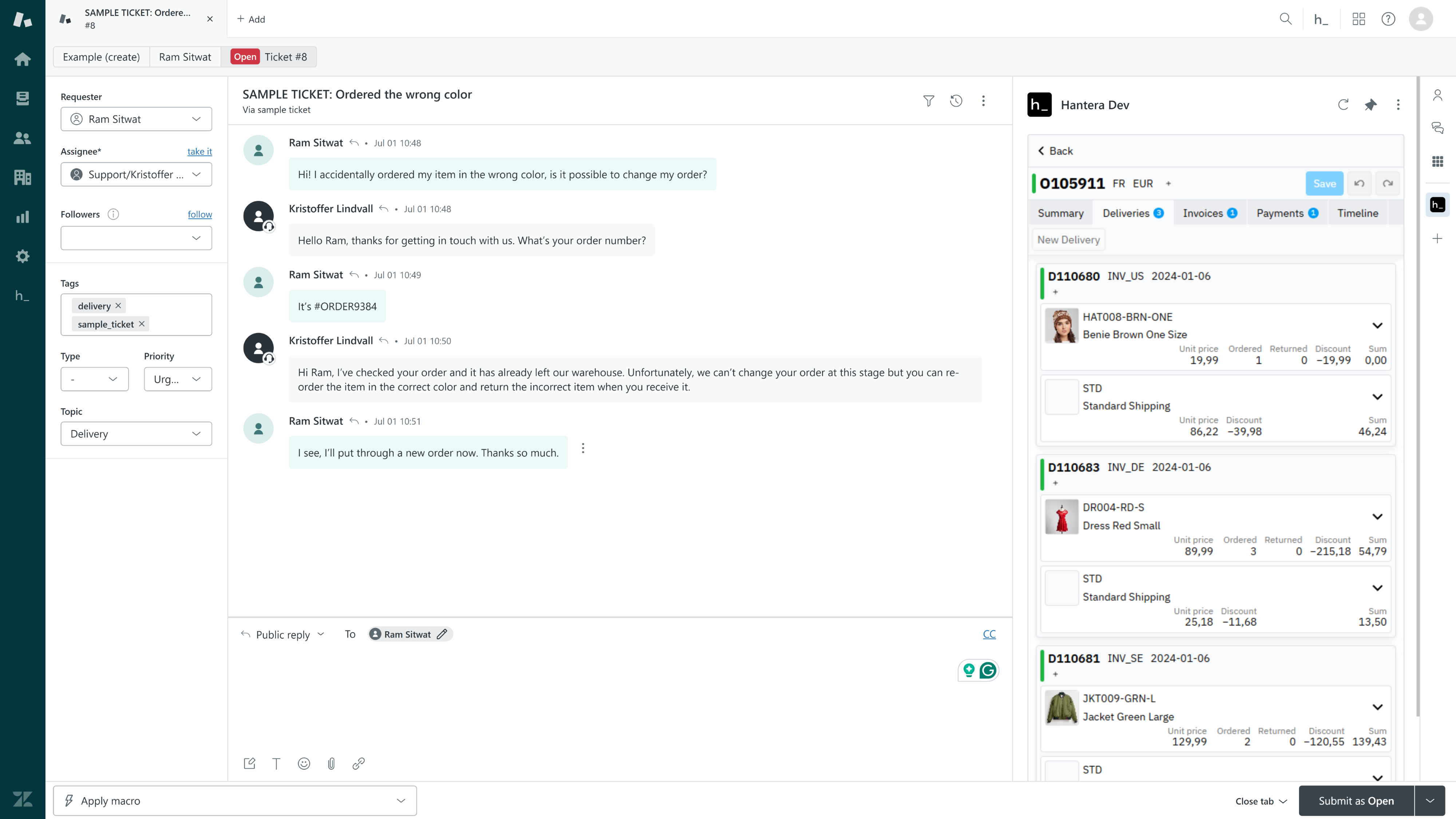
When someone reaches out, the order is right there — in the same Zendesk window as the conversation. What was bought, what shipped, what's late, what's being returned. No switching tabs. No asking them to explain what your business should already know. Just the context to resolve it, and the authority to make it right.

Follow and manage any order, right inside Zendesk — without breaking your flow.
Your inbox is where broken promises become visible. Hantera_ brings the operation underneath into the same view, so the agent isn't narrating the problem — they're fixing it.
The right context, the moment they reach out.
Pull up orders, deliveries, customers, payments, and returns — all in one place, right inside the conversation, so the first reply moves things forward instead of buying time.

Your data, your playground.
-
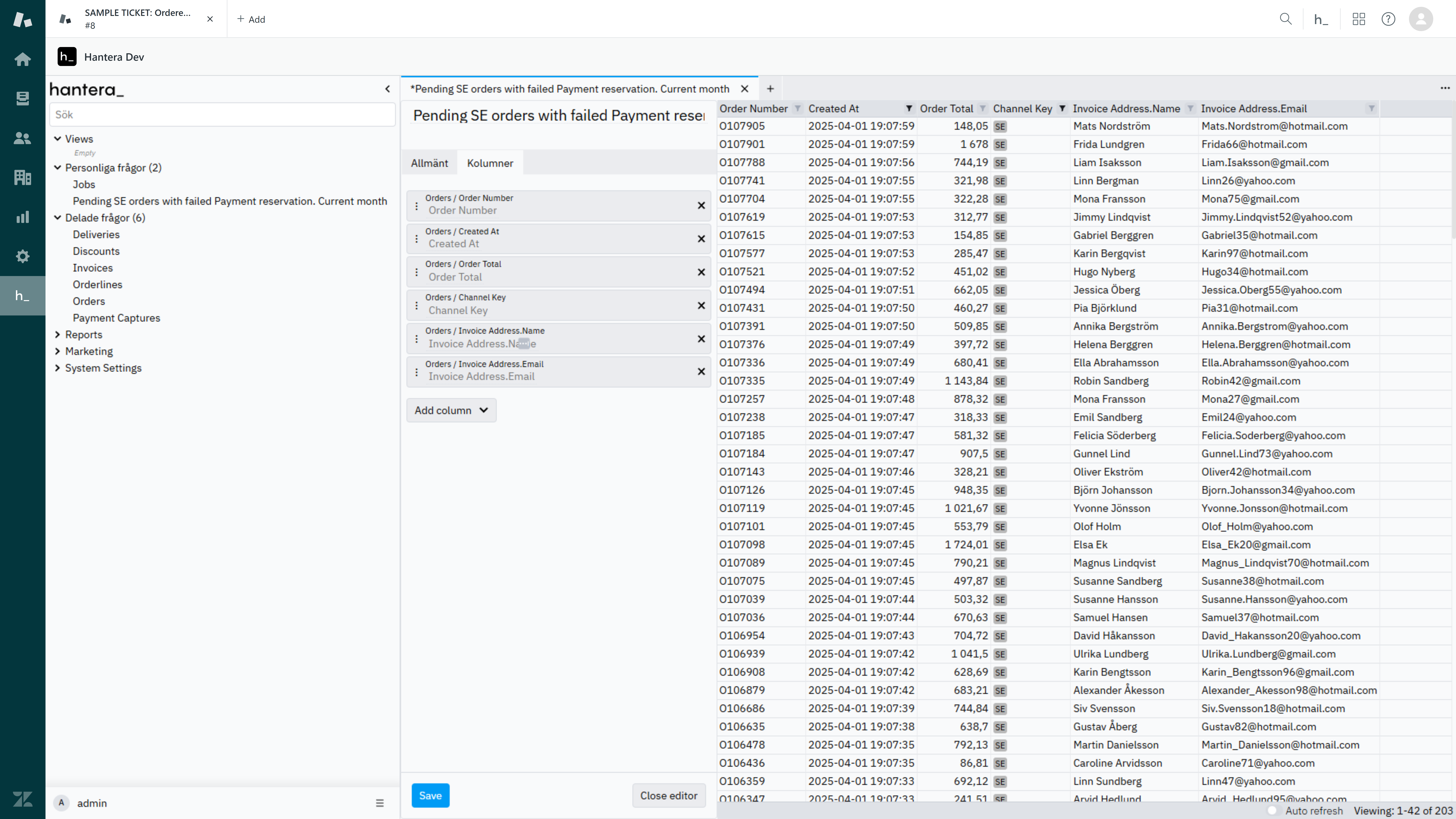
Filter and sort
Narrow results and order them by relevance or priority — no tech skills required.
-
Search with precision
Use structured queries to find the exact orders, customers, or exceptions you're after.
-
Always real-time
Pull up-to-date data the moment you ask, so decisions are made on what's true right now.
-
Save and share queries
Keep your own go-to views, or share them with the team so everyone works from the same picture.
-
Export in a click
Right-click any result and export to CSV or Excel. That's it.
Find the problem orders first.
Build filters that fit how your team actually works — then solve the problem before the customer have to ask.
The best support ticket is the one your operation prevented.
At your service. Embeddable.
One install. One connection. Every order, delivery, and return visible the moment a ticket opens — right inside the tool your team already knows.
Go to Zendesk MarketplaceDon't reduce interactions. Make every one count.
Show us how your team handles orders in Zendesk today. We'll show you the interactions you're leaving on the table.